Cyber Security Keynote Template: Present with Confidence
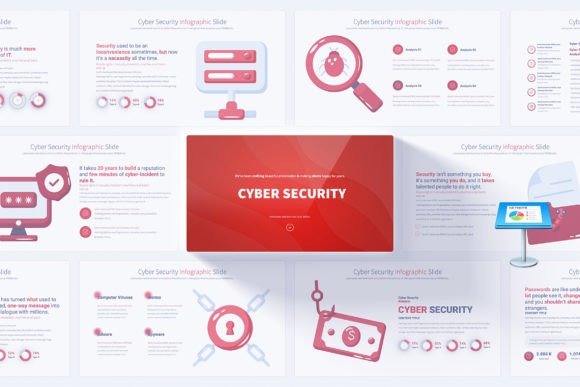
When you're tasked with explaining complex cyber security concepts to a room full of colleagues, clients, or stakeholders, the last thing you want to worry about is slide design. The Cyber Security Keynote Template exists to take that pressure off your shoulders. It’s a ready-made collection of infographics slides built specifically for Apple Keynote, designed to help you communicate data protection strategies, network security, and digital threats in a way that feels polished and professional—even if you don’t have a design background.
What makes this resource stand out isn’t just that it looks good. It’s that everything from the color palette to the vector icons has been chosen with cyber security in mind. The light backgrounds keep the focus on your content, while the handmade infographics turn technical jargon into visual stories that are easy for people to follow. Whether you're walking a startup founder through a risk assessment or training a department on phishing prevention, these slides help you bridge the gap between expert knowledge and everyday understanding.
Why Visual Storytelling Matters in Cyber Security
Security professionals often struggle with a familiar challenge: the details that matter to them—encryption protocols, firewall configurations, threat vectors—can make non-technical audiences’ eyes glaze over. A well-structured visual can change that. Instead of listing bullet points about data breaches, you can use a timeline infographic to show an attack chain. Rather than describing multi-factor authentication in text-heavy slides, a flowchart icon set can walk viewers through the process in seconds.
The template includes 17 unique slide layouts, but because each one is built on a master slide system, you can duplicate, rearrange, and modify them to create a narrative that fits your exact message. All 204 total slides are there for you to pick from, not to overwhelm you, but to give you flexibility. Need a striking opening slide with your company logo and a closing slide that recaps action items? They’re already included and beautifully coordinated.
What’s Inside the Cyber Security Keynote Infographics Slides
At its heart, this is a Keynote template built for speed and clarity. The heavy lifting of alignment, typography, and color harmony is done. You simply drop in your data, adjust a few labels, and you’re ready to present. Here’s a closer look at the core elements:
- 12 color variations on a light background – Consistency matters. You can choose a scheme that matches your brand or the tone of your talk, from cooler blue tones that convey trust to warmer accents that add energy without sacrificing professionalism.
- 280 fully editable vector icons – Icons aren’t decorative fluff here; they’re functional. They cover everything from padlocks and servers to cloud symbols and alert triangles. Because they’re vector-based, you can resize them without any loss of quality.
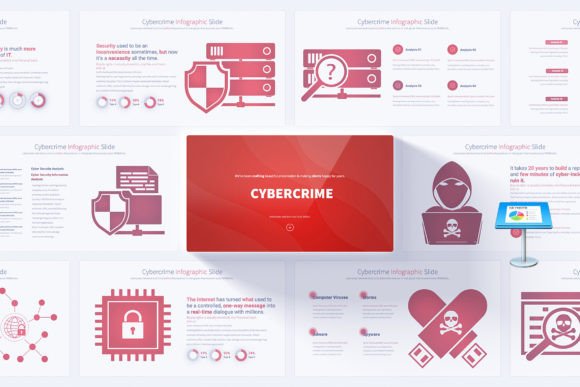
- Handmade cyber security infographics – These are the standout feature. Pie charts, bar graphs, process diagrams, and layered illustrations help you visualize abstract concepts like threat levels, incident response workflows, and compliance progress.
- Animated transitions – Subtle movement between slides keeps your audience engaged without being distracting. These transitions are built in and easy to adjust or remove if you prefer a more static flow.
Master Slides Simplify Editing
If you’ve ever spent hours tweaking individual text boxes across dozens of slides, you’ll appreciate the master slide approach. Change a font, adjust the logo placement, or swap a background element on the master, and it updates everywhere. This is a huge time-saver and helps you maintain a cohesive look throughout your entire presentation. It also makes the template more accessible for beginners who might feel intimidated by complex design software.
Who Gets the Most Out of This Keynote Template?
While the theme is clearly cyber security, the practical applications extend into several professional areas. Small business owners can use it to educate employees about password hygiene and safe browsing habits during onboarding sessions. IT consultants will find it indispensable when pitching services to new clients—nothing says preparedness like a slide deck that looks like it was created by a dedicated design team. Educators and workshop facilitators, meanwhile, can adapt the infographics to teach basic digital safety concepts without needing to build visuals from scratch.
Even if you’re a marketer or content creator who occasionally covers tech topics, having a reliable set of cyber-themed slides can elevate a webinar or video presentation. The template’s 16:9 Full HD resolution ensures everything stays crisp on modern screens, projectors, and recording equipment. You won’t be squinting at fuzzy charts during a live demo.
Real-World Use Cases
Imagine you’re a freelance IT security auditor. You’ve just completed a vulnerability assessment for a mid-sized e-commerce company. Instead of handing over a dense PDF report, you schedule a meeting and present your findings using the template. You start with the professional opening slide that sets the agenda, then use a customized bar graph to compare risk levels across different departments. A process diagram illustrates your recommended remediation steps. The closing slide offers clear next steps and your contact information. The result? Your audience understands the issues, trusts your expertise, and feels motivated to act.
Or consider a business owner who wants to secure buy-in from investors for a new security product. The light backgrounds and clean infographics make technical proof-of-concept slides look investor-ready. Adding 280 editable icons to highlight product features like encryption speed or user dashboard accessibility can make complex value propositions instantly graspable.
Balancing Customization and Simplicity
One of the most common worries about presentation templates is that they’ll look generic. The handmade nature of this template’s infographics helps avoid that. Each element is unique enough that with a few thoughtful tweaks—your brand colors, your screenshots, your data—the final result feels distinctly yours. The easily editable elements mean you can change graph values, swap icons, and rename categories without any special training. The included PDF documentation walks you through the basics, so you won’t be left guessing how to adjust a master slide or apply a new color variation.
It’s worth noting that this is a Keynote-specific template, so it won’t work directly in Microsoft PowerPoint or Google Slides unless you convert it (which can sometimes cause formatting shifts). However, for Mac users and anyone who already prefers Apple’s presentation software, it runs natively and smoothly. The user-friendly structure also makes it a solid choice for people who might not be tech-savvy enough to build their own visuals but still want to deliver a credible, professional talk.
Why Professionals Keep Coming Back to Infographics-Based Slides
Static bullet points have their place, but when you’re covering topics like zero-day exploits, ransomware trends, or GDPR compliance, the risk of cognitive overload is high. Infographics break information into manageable chunks. They tap into visual learning patterns and help your audience retain more of what you say. The inclusion of animated transitions can further guide attention—revealing a step-by-step incident response plan one piece at a time, for example, so you’re not overwhelming viewers with a wall of information all at once.
This template doesn’t just hand you a set of slides; it gives you a framework for thinking visually about security. You might find yourself planning a talk differently because you know you have a flowchart slide that can map out a breach containment process, or a comparison chart that can weigh the pros and cons of different authentication methods. Suddenly, abstract strategies become concrete narratives.
Things to Keep in Mind Before Getting Started
Like any creative tool, this template works best when you take a moment to plan your presentation’s flow. Because there are 204 total slides, it helps to browse through all the layouts first, then decide which ones naturally support your key points. Resist the urge to use every single layout; a clean, focused deck with fewer slides often makes a stronger impact than a cluttered 50-slide marathon. The template is there to serve your message, not the other way around.
Also, consider your audience’s technical level. If you’re speaking to a group of C-suite executives, you might lean more heavily on high-level diagrams and market trend infographics, swapping in icons that communicate growth and risk. If your listeners are fellow IT professionals, you can dive deeper into network topology visuals and vulnerability heat maps. The icon library provides that range, and the master slide editing keeps everything looking consistent no matter how granular you get.
Finally, don’t overlook the value of the light background theme. In dimly lit conference rooms or on bright monitors, light slides with high-contrast text can actually be easier to read than dark-themed decks. That readability ensures your message isn’t lost to screen glare or projector limitations. It’s a subtle but meaningful design choice that supports all-day workshops and long strategy sessions.
Making Every Presentation Count
In a world where remote meetings and recorded webinars have become the norm, a thoughtful presentation can differentiate a competent professional from a forgettable one. The Cyber Security Keynote Template isn’t about flashy gimmicks; it’s about removing friction between you and your audience. With intuitive editing, a rich set of visuals, and a structure built on master slides, it helps you focus on what matters: delivering clear, trustworthy, and memorable information about protecting digital assets.
Whether you’re mapping out a company’s entire security posture or simply explaining why software updates can’t be ignored, these slides give you a reliable foundation. And because every element is customizable, you won’t feel locked into someone else’s idea of what cyber security looks like. You’ll present with confidence, knowing your visuals are working just as hard as your words.